
A personal fork of the Zed editor for running several terminal coding agents side by side in the terminal panel.
Stock Zed shows every terminal as the same plain tab. With several agents running, I need to see which one is still working, which one has finished and is waiting, and what each one is doing. The fork shows this in the tab bar, by reading the terminal screen rather than any agent API.
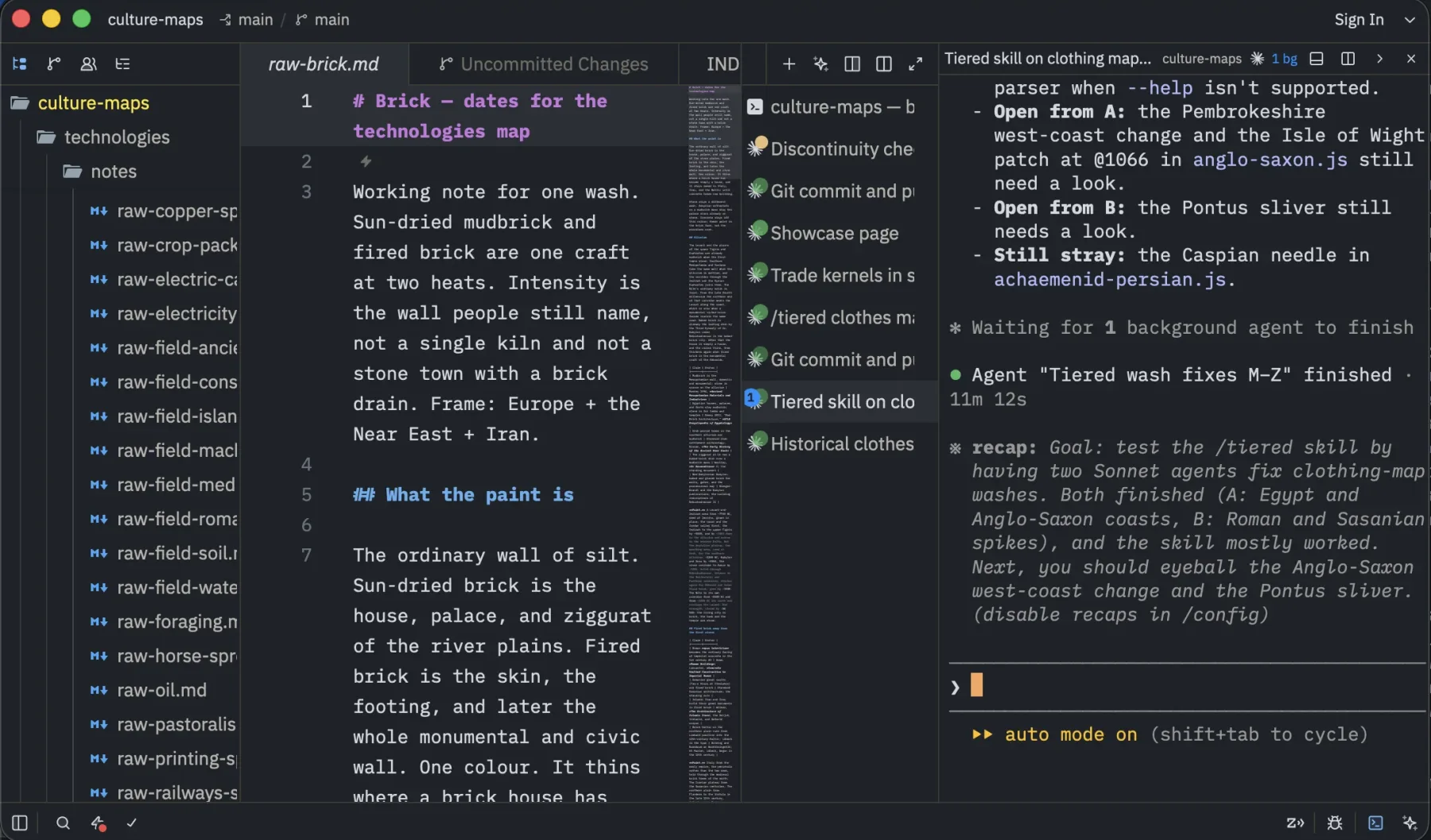
Vertical terminal tabs, one per Claude Code session, each titled with its conversation and marked with the agent's status.
Agent-aware terminal tabs
Terminal tabs can sit in a vertical column on the left or right. Each tab knows which agent is running in it and shows that agent's logo, a status dot and the title of the current conversation.
Three agents are supported: Claude Code, Grok and Codex, each with its own screen parser.
Status
Busy, idle or waiting
❯ composer, esc to interrupt, open dialogs.Titles
Named conversations
Attention
Finished turns
Work badges
A small zed-term-badge script lets an agent label its own tab with the kind of work it's doing (bug, refactor, feature) and mark it done, optionally with a link to a file or URL that becomes a button on the tab. Badges disappear when the agent exits.
Running many sessions
- Templates. A “New…” menu in the terminal panel starts preset commands, e.g. Claude Code with or without permission prompts.
- All sessions. One action tiles every terminal in a grid.
- Headers. An optional bar above each terminal shows its folder and agent.
Markdown preview
The Markdown preview takes its colours from the editor theme, and one action switches a file to its preview in place and back.
The Unified extension
I also keep a personal Zed extension, “Unified Theme & Syntax”, that combines several marketplace extensions into one install: a theme, file icons, extra languages and Markdown diffs.
Theme
Unified dark
Languages
Extra languages
Icons
Material icons, trimmed
Markdown diffs
Diffs for Markdown files
The fork is my everyday editor, kept rebased onto upstream Zed.