
Feel the Notion makes Obsidian's Live Preview edit in blocks, the way Notion does. Block editing comes from upstream; my fork adds Notion-style pages.
Upstream is Feel the Notion by Michael Nguyen, itself a fork of notion-block by BCS. A block there is a list item with its children, a heading, a paragraph, or a callout:
- A
+and a drag handle follow the pointer. Dragging takes the whole block, and the pointer's horizontal position picks the depth it lands at. - A drag across blocks selects whole blocks, and dragging any one of them moves them all. Blocks fold from a chevron on the handle.
Cmd+Aselects the block, then the note./opens an insert menu, on an empty block or from the+. Rows can be reordered, hidden, or bound to any Obsidian command.
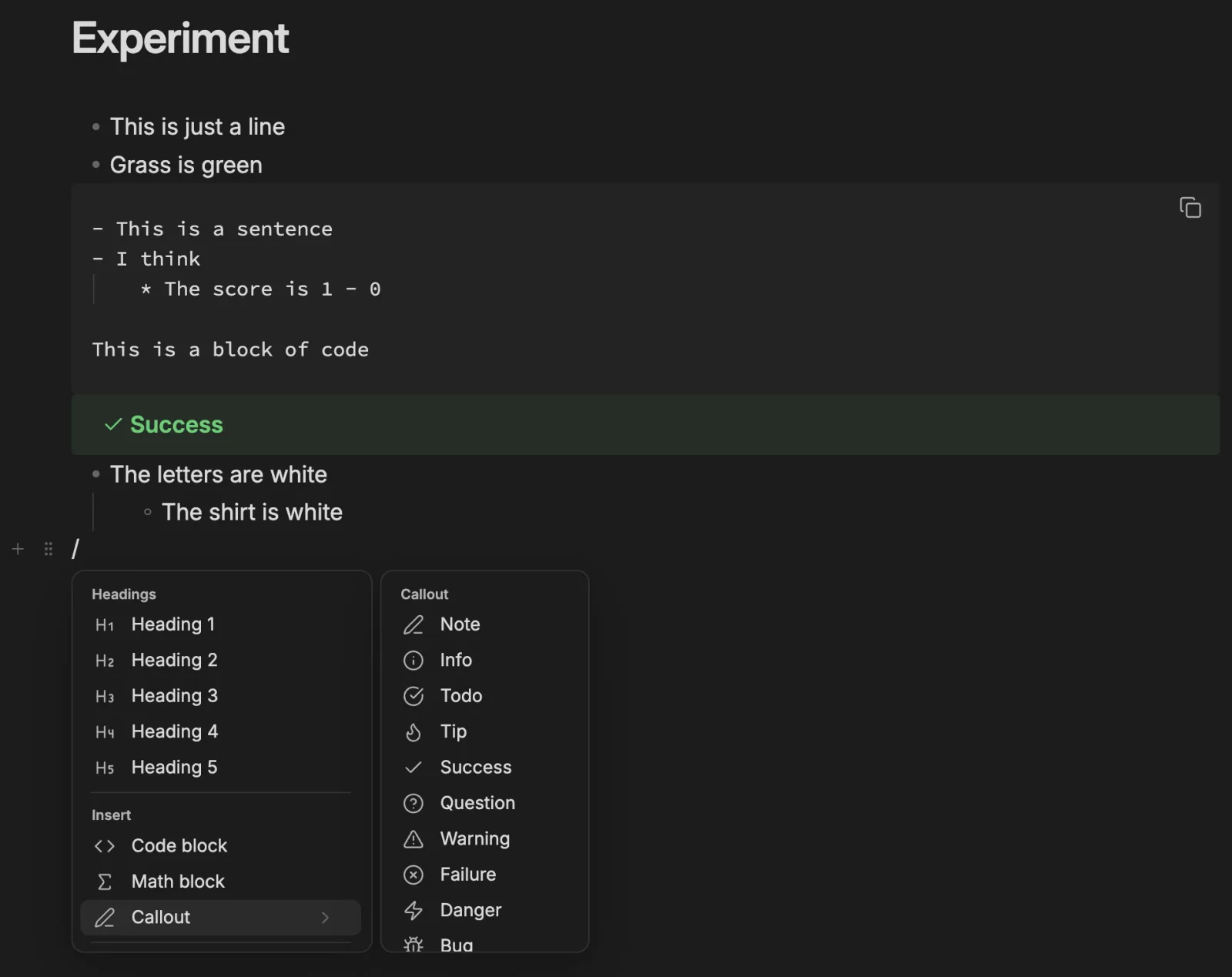
Upstream's insert menu, opened with / on an empty block or with the + in the gutter.
A folder is a page
In Notion a page holds both its text and its sub-pages. Obsidian keeps those apart, as a note and a folder. The fork joins them. Travel/Travel.md opens when you click the Travel folder, renaming either renames both, and the explorer shows one page rather than a folder and a file of the same name.
When a page that is not a folder yet gets a sub-page, the note moves into a folder of its own name.
Order
The note decides the explorer
Drop a note
It becomes a sub-page
New page
From the menu or the explorer
+ on any page in the explorer adds one inside it.Unlinked files
A folder often holds more than the note mentions. Those children are drawn in a footer titled In this folder under the note, without writing anything into the file. A + on a row links the file into the page. When everything still unlinked is an image, the list becomes a photo mosaic.
The header
Everything stays in Markdown. The icon and the cover are frontmatter (icon, banner, banner-y), and Full width and Small text are cssclasses, so a vault stays readable with the plugin off. Notes that already had those properties keep them.
- Icon. An emoji or a Lucide icon, shown in the explorer, before links to the page, and on tabs.
- Cover. Hover the title for Add cover. A cover spans the pane, and can be a built-in gradient, an upload, an image from the vault, or a URL.
- Templates. An empty page offers notes from the templates folder.
- Breadcrumbs. The folders in a note's header open their pages.
- Go to page. A quick switcher that lists each page once, with its icon.
Writing in blocks
Upstream already drags blocks. The fork adds the keyboard, the mentions, and the way a link to a page is drawn.
- Block selection.
Escselects the current block; from there the keyboard moves, copies, indents, duplicates and deletes whole blocks. - @ mentions.
@at the start of a word suggests pages to link, plus dates like Today and Tomorrow. - Pasting a link. A URL can stay as it is, take its title from the page, or be embedded.
- New insert items. A live list of the page's sub-pages, an inline database (an Obsidian Base over the page's folder), and a toggle, which is a folded callout drawn without its box.
- A link is one block. A link to a sub-page or an attachment draws as one row with its icon and title, and deletes as a whole.
Moving a block to another page
Drag a block onto a page in the file explorer and it moves to the end of that page, images and attachments included, and links are updated. The block is removed from the source only after the copy is written.
Every behaviour can be turned off in settings.